This article goes over interface provisioning for ACI.
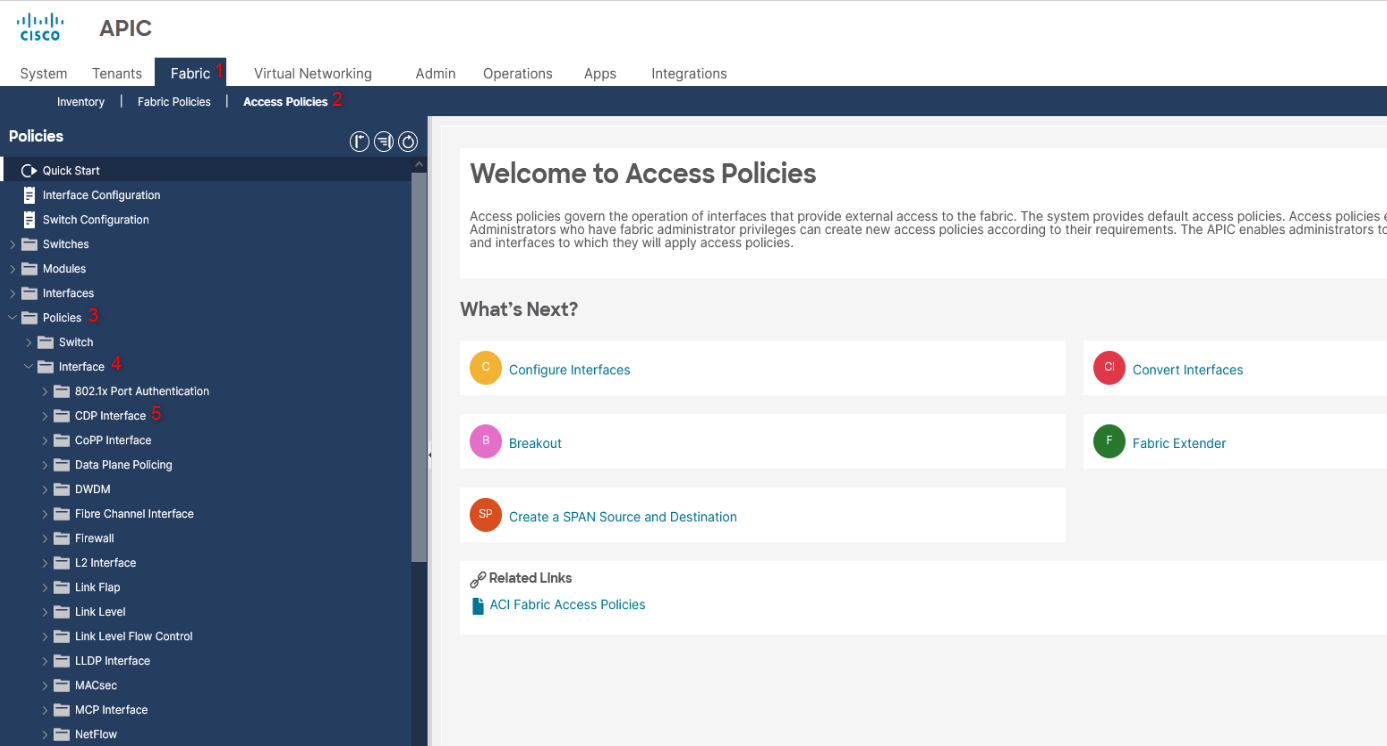
Define and create policies such as CDP, LLDP, Netflow, or 802.1x policies. These can be later attached to an interface.
This can be done under Fabric -> Access Policies -> Policies -> Interface
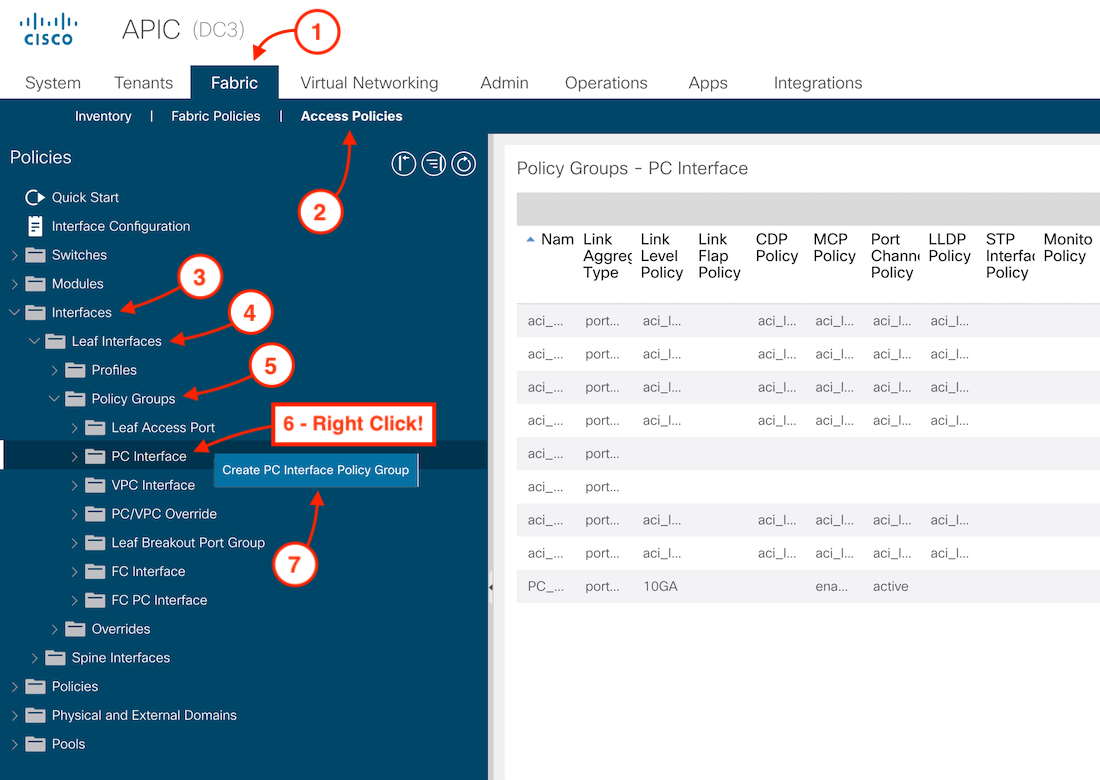
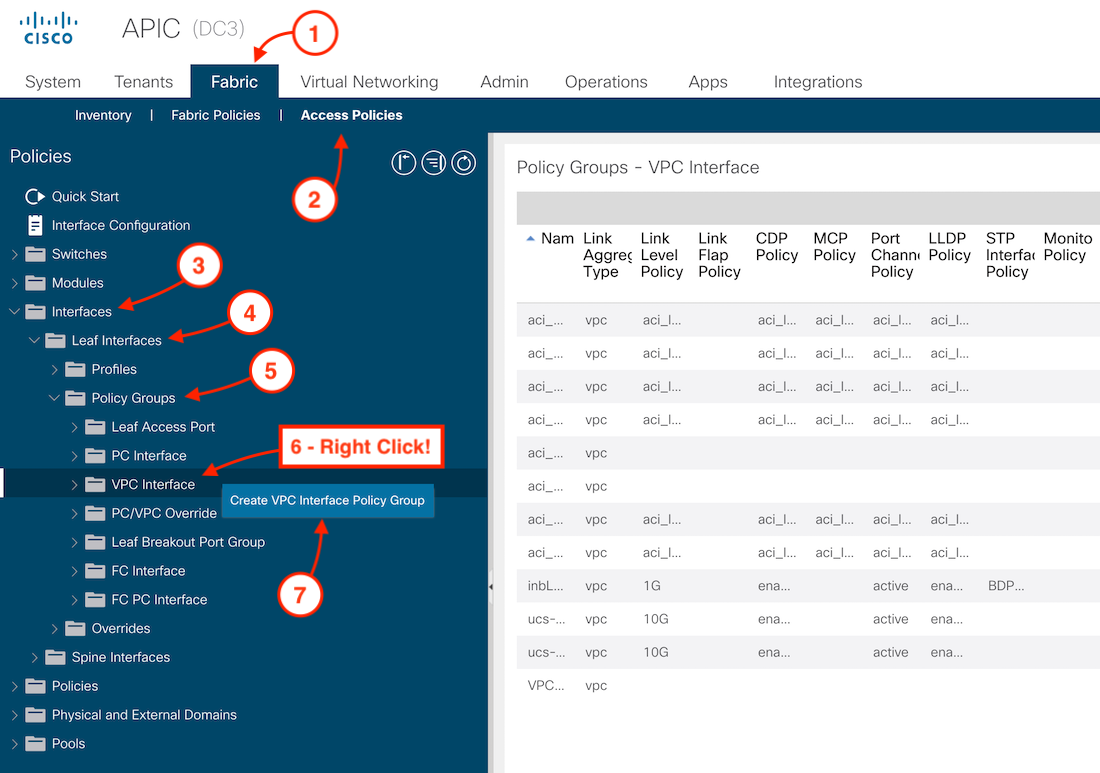
Now, with the created Interface Policies you can now create you Policy Groups. These are used to create configs such as vPC’s and PC’s
This can be done under Fabric -> Access Policies -> Interface -> Leaf Interfaces -> Policy Group
Now, These created Policies you can now create you can map them to interfaces on the Leaf’s.
This can be done under Fabric -> Access Policies -> Switches -> Leaf Interfaces -> Profile.
Once the Profiles are created then apply it to Fabric -> Access Policies -> Switches -> Leaf Switches -> Profiles
{ width=100% }
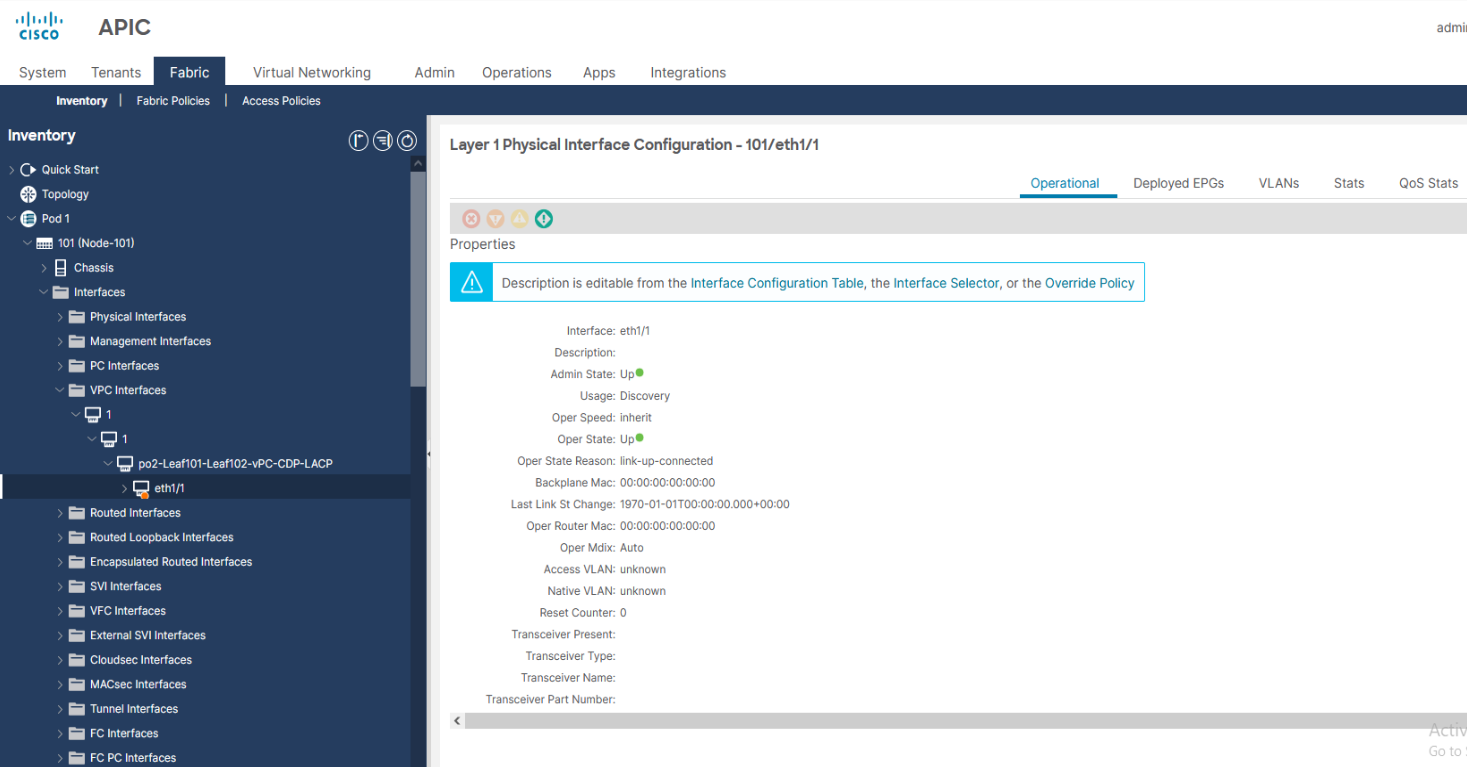
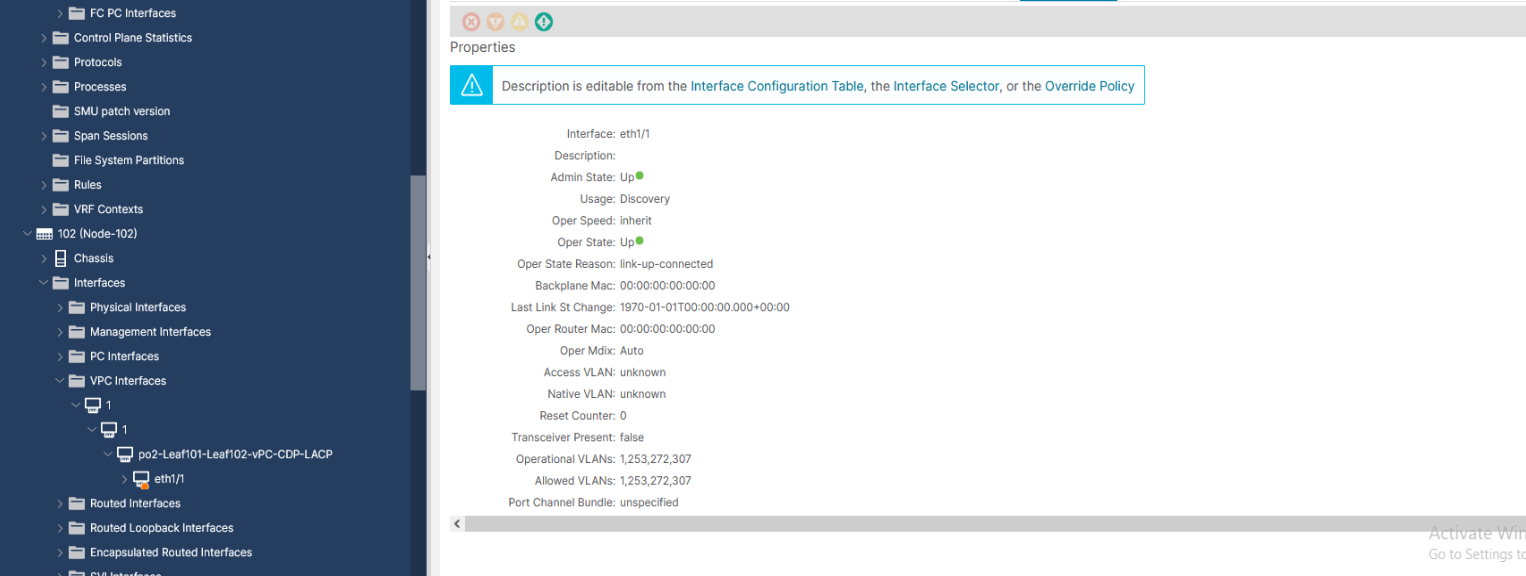
Once the polices have been applied you can verify the interface status from under the following path.
Fabric -> Inventory -> Pod # -> Leaf # -> Interfaces -> PC Interfaces or vPC Interfaces.