Setting up simple eBGP on a Cisco FTD #
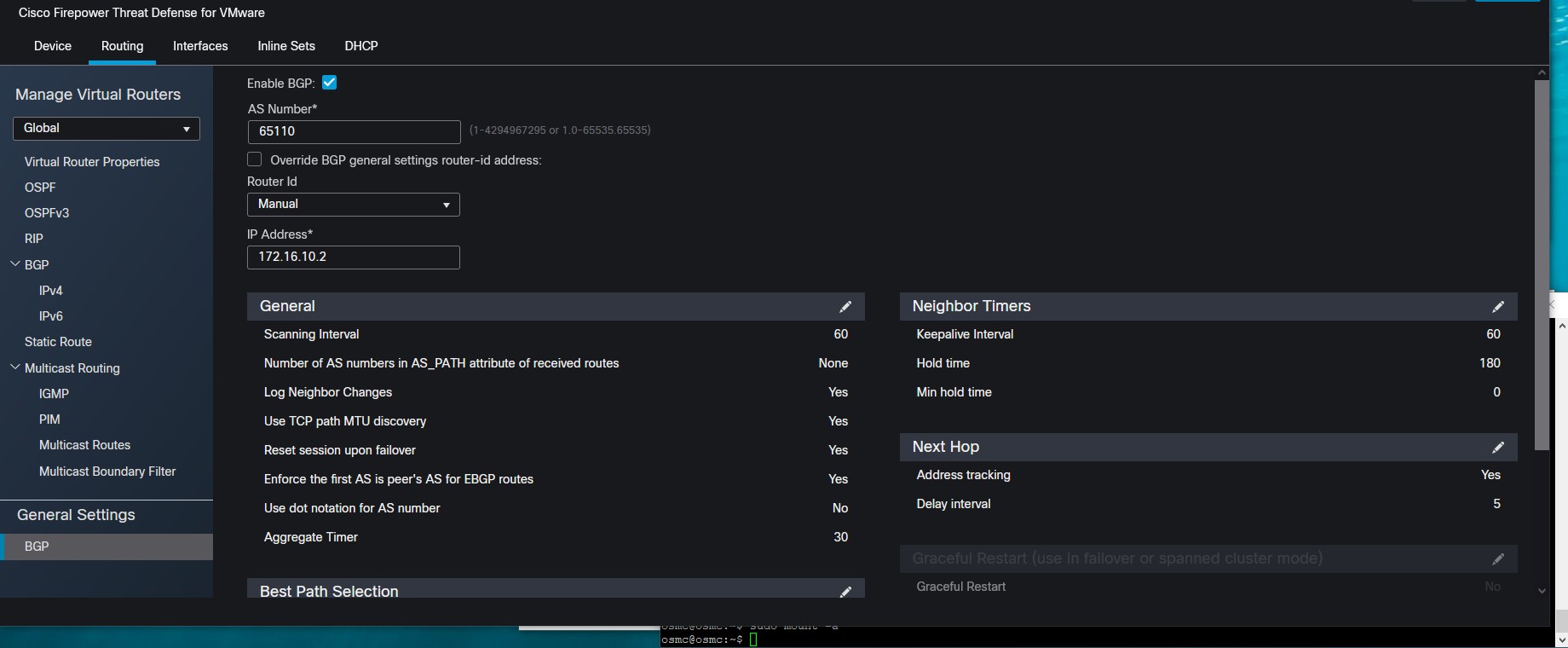
Start by going to Devices -> Device Management -> The FTD in question and hit edit -> Then Routing Set the AS and Router ID.
After this you can configure you IPv4 BGP Settings
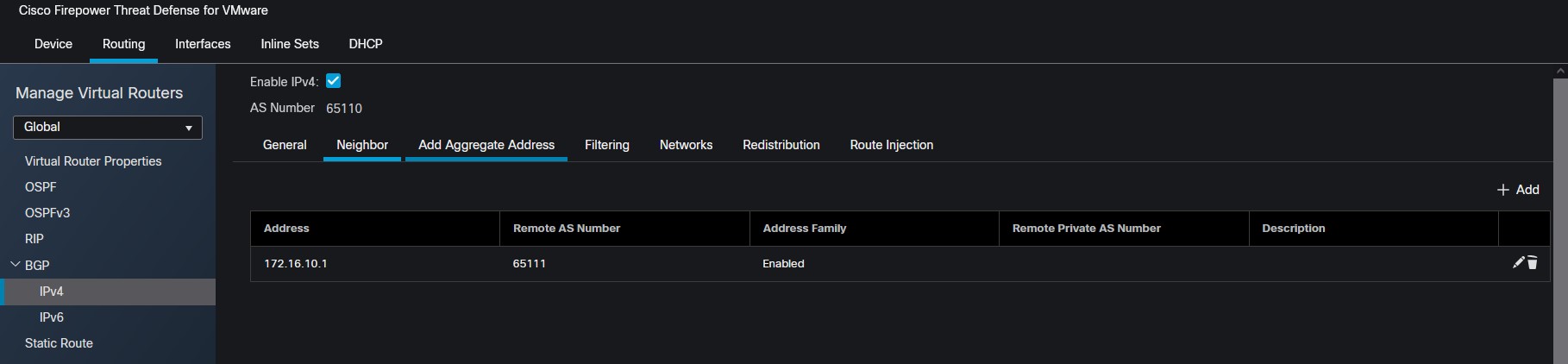
define your neighbor
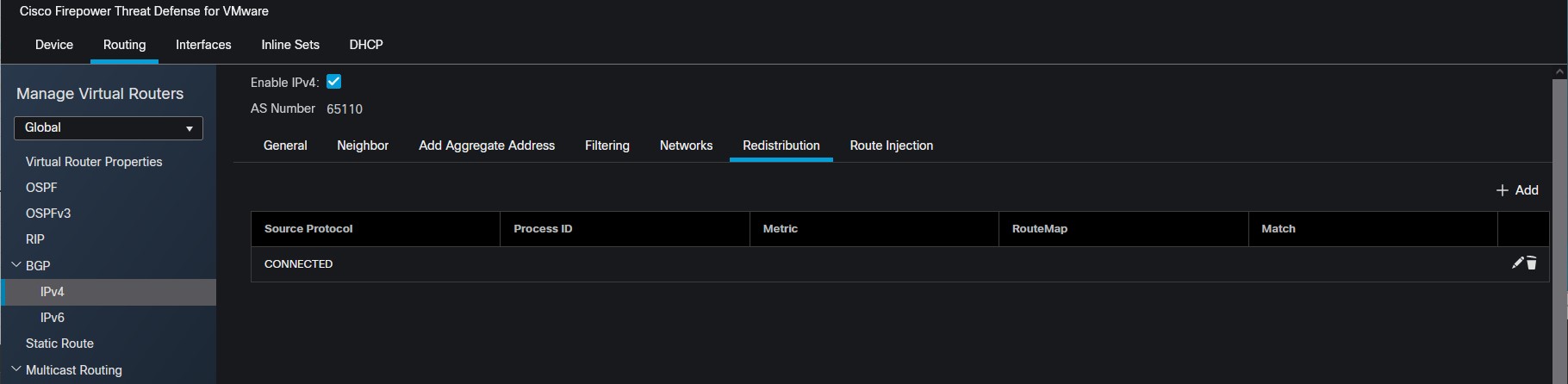
Then you can select what networks you want to redistribute